import pandas as pd

from plotnine import *
from plotnine.layer import layer
from plotnine.session import last_plot
from plotnine.data import penguinsRecipe #1, geom_medians() and geom_means()
The Goal
In this first recipe, we’ll look at simple examples of defining a new geom_*() function, geom_medians() and geom_means().
Each geom_*() function (layer) is defined by three major elements: a geom, a stat, and a position. The simplest among these to create is a new stat, so the ‘Easy recipes’ start with these. And while simple, stats are also powerful because they allow you compute to be integrated into your plotting pipeline — that you would otherwise might need to do ‘manually’ before plotting.
Along with writing the geom_\*() function, we’ll write a stat_*() function, which is pretty typical for seasoned plotnine developers when writing stats. It’s okay if you don’t typically write your plots with stat_*() functions – you can use just use the geom_*() functions if you like.
TipNote that in the plotnine extension context, the word ‘layer’ only refers to
geom_*(), stat_*(), and annotate() functions. These all use the layer() function internally – a function that requires — you guessed it — a geom, a stat, and a position!
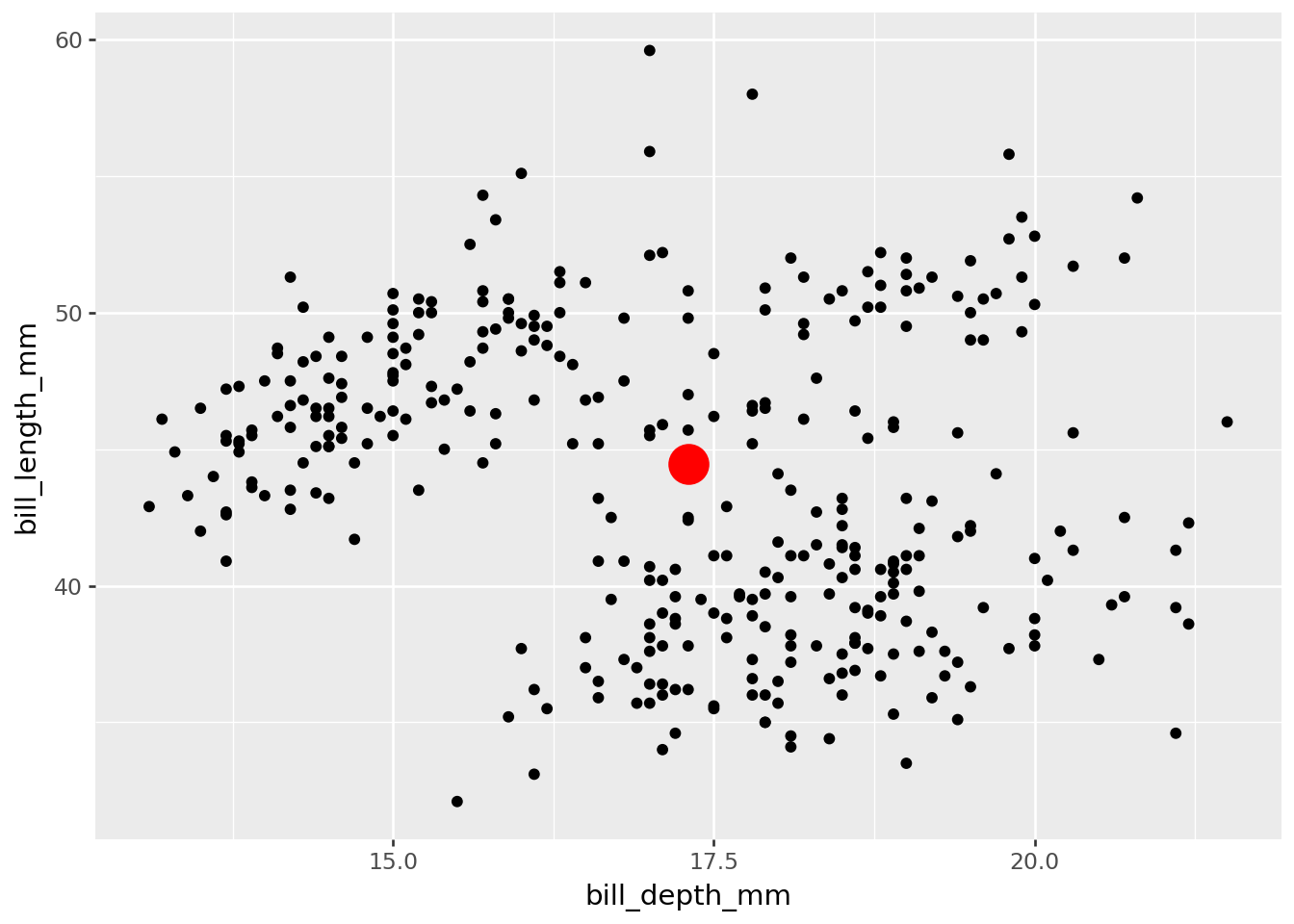
Let’s get started! Our objective in this first ‘recipe’ is to be able to compose the following plot with a new geom_means() function that we will create.
(
    ggplot(data=penguins)
    + aes(x="bill_depth_mm", y="bill_length_mm")
    + geom_point()
    + geom_means(size=8, color="red") # new function!
)
In this exercise, we’ll demonstrate how to define the new extension function geom_medians() to add a point at the medians x and y. Then you’ll be prompted to define geom_means() based on what you’ve learned.
Step 00: Loading packages and prepping data
from plotnine import *
from plotnine.data import penguins

penguins.head()| species | island | bill_length_mm | bill_depth_mm | flipper_length_mm | body_mass_g | sex | year | |
|---|---|---|---|---|---|---|---|---|
| 0 | Adelie | Torgersen | 39.1 | 18.7 | 181.0 | 3750.0 | male | 2007 |
| 1 | Adelie | Torgersen | 39.5 | 17.4 | 186.0 | 3800.0 | female | 2007 |
| 2 | Adelie | Torgersen | 40.3 | 18.0 | 195.0 | 3250.0 | female | 2007 |
| 3 | Adelie | Torgersen | NaN | NaN | NaN | NaN | NaN | 2007 |
| 4 | Adelie | Torgersen | 36.7 | 19.3 | 193.0 | 3450.0 | female | 2007 |
Step 0: use base plotnine to get the job done
It’s a good idea to get things done without stat extension first, just using ‘base’ plotnine. The computational moves you make here can serve a reference for building our extension function.
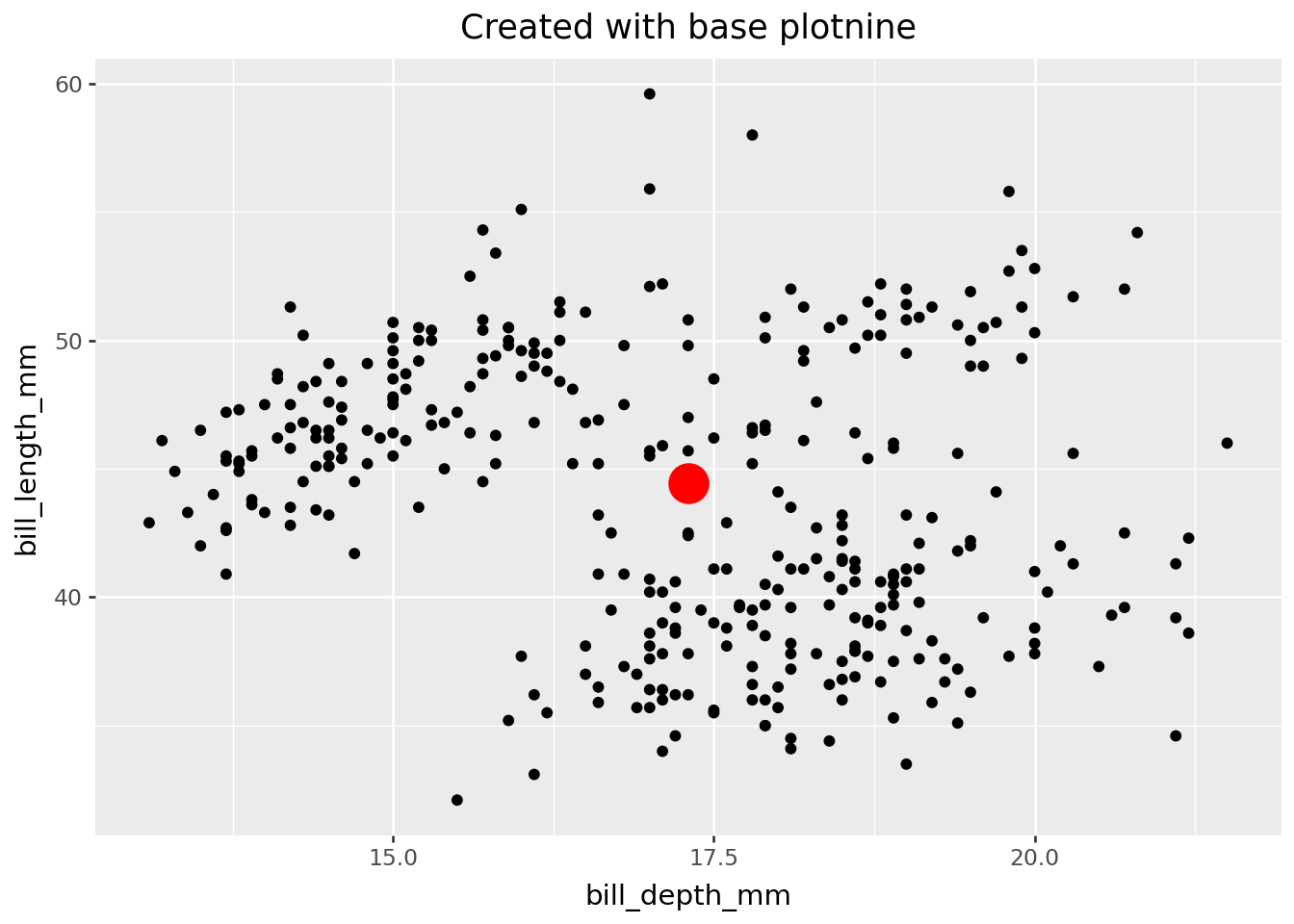
penguins_medians = pd.DataFrame(
   [penguins[["bill_length_mm", "bill_depth_mm"]].median()]
).add_suffix("_median")

(
  ggplot(penguins)
  + aes(x="bill_depth_mm", y="bill_length_mm")
  + geom_point()
  + geom_point(
      penguins_medians,
      aes(x="bill_depth_mm_median", y="bill_length_mm_median"),
      size=8,
      color="red",
   )
  + labs(title="Created with base plotnine")
)
TipPro tip. Use
ggplot.layer_data() to inspect plotnine's internal data …
Use ggplot.layer_data() to inspect the render-ready data internal in the plot. Your stat will help prep data to look something like this.
last_plot().layer_data(i=1) # layer 2, the computed means, is of interest| x | y | PANEL | group | alpha | stroke | fill | shape | color | size | |
|---|---|---|---|---|---|---|---|---|---|---|
| 0 | 17.3 | 44.45 | 1 | -1 | 1 | 0.5 | None | o | red | 8 |
Step 1: Define compute. Test.
Now you are ready to begin building your extension function. The first step is to define the compute that should be done under-the-hood when your function is used. We’ll define this in a function called compute_group_medians(). The data input will look similar to the plot data. You will also need to include a scales argument, which plotnine uses internally.
Define compute.
import pandas as pd

def compute_group_medians(data, scales=None):
    return pd.DataFrame([data[["x", "y"]].median()])
NoteYou may have noticed …
… the
scalesargument in the compute definition, which plotnine uses internally. While it won’t be used in your test (up next), you do need it so that the computation will work in the plotnine setting.… that the compute function can only be used with data with variables
xandy. These aesthetic variable names, relevant for building the plot, are generally not found in the raw data inputs for the plot.
Test compute.
# Test compute.
(
    penguins
    .rename(
        columns={
            "bill_depth_mm": "x",
            "bill_length_mm": "y"
        }
    )
    .pipe(compute_group_medians)
)| x | y | |
|---|---|---|
| 0 | 17.3 | 44.45 |
NoteYou may have noticed …
… that we prepare the data to have columns with names x and y before testing. Computation will fail if variables x and y are not present given the function’s definition. In a plotting setting, columns are renamed by mapping aesthetics, e.g. aes(x="bill_depth", y="bill_length").
Step 2: Define new stat. Test.
Next, we define a new stat by subclassing plotnine’s stat class - which will let us do computation under the hood while building our plot.
Define stat.
from plotnine.stats.stat import stat

class stat_medians(stat):
    REQUIRED_AES = {"x", "y"}
    DEFAULT_PARAMS = {"geom": "point"}

    def compute_group(self, data, scales):
        return compute_group_medians(data)
NoteYou may have noticed…
… that the naming convention for the stat class is snake_case, i.e.
stat_medians.… that we inherit from the
statclass. In fact, your new class is a subclass – you are inheriting class properties from plotnine’sstat.… that the
compute_group_mediansfunction is used to define our stat’scompute_groupmethod. This means that data will be transformed group-wise by our compute definition – i.e. by categories if a categorical variable is mapped.… that setting
REQUIRED_AEStoxandyreflects the compute function’s requirements. SpecifyingREQUIRED_AESin your stat can improve your user interface. plotnine will raise an error if required aes are not specified, e.g. “stat_medians requires the following missing aesthetics: y”.
Test stat.
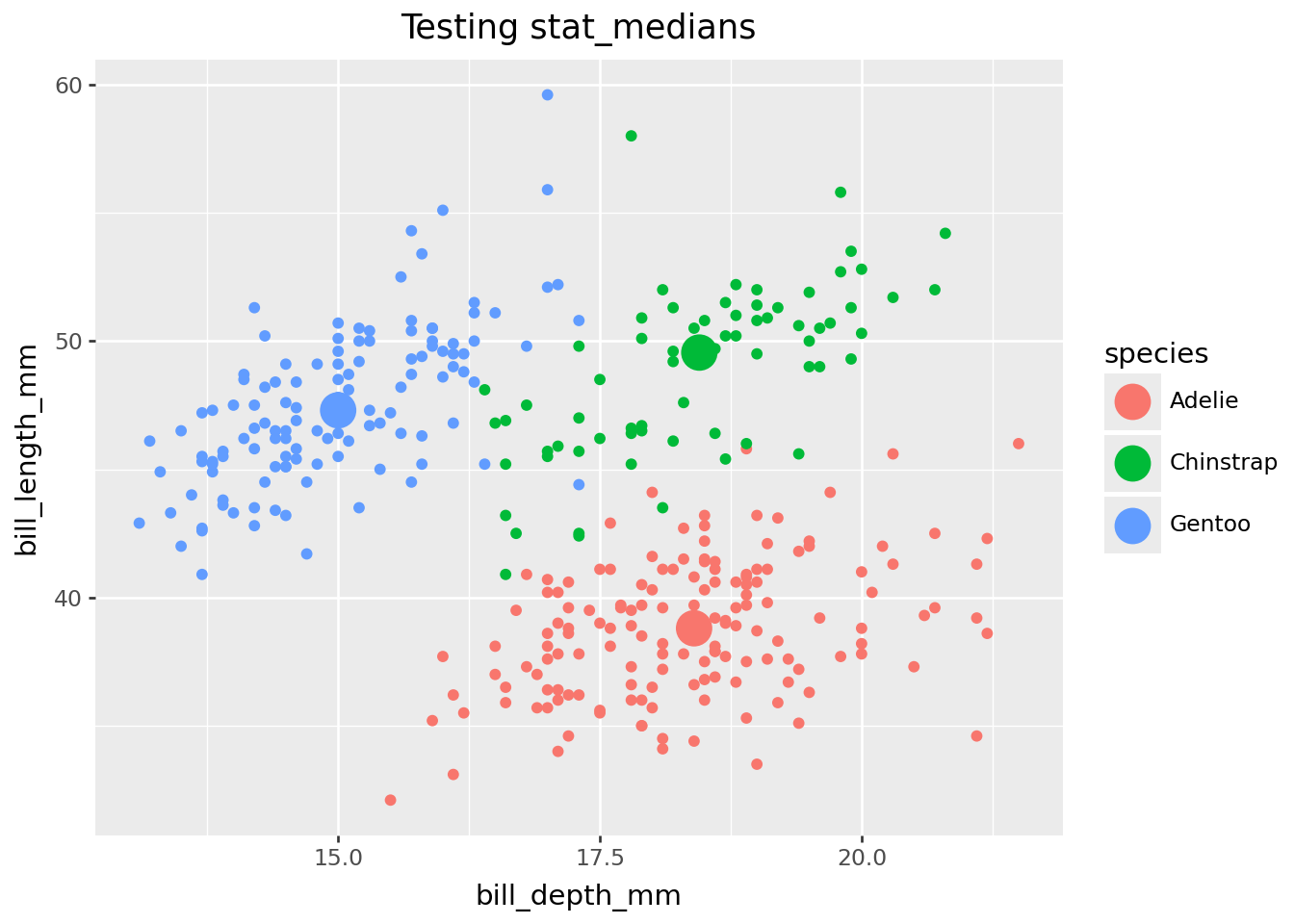
You can test out your stat by using it in plotnine geom_*() functions.
(
  ggplot(penguins)
  + aes(x="bill_depth_mm", y="bill_length_mm")
  + geom_point()
  + geom_point(stat=stat_medians, size=7)
  + labs(title="Testing stat_medians")
)
NoteYou may have noticed …
… that we don’t use "medians" as the stat argument. But you could! If you prefer, you could write geom_point(stat="medians", size=7) which will direct to your new stat_medians under the hood.
Test stat group-wise behavior
Test group-wise behavior by using a discrete variable with an group-triggering aesthetic like color, fill, or group, or by faceting.
last_plot() + aes(color="species")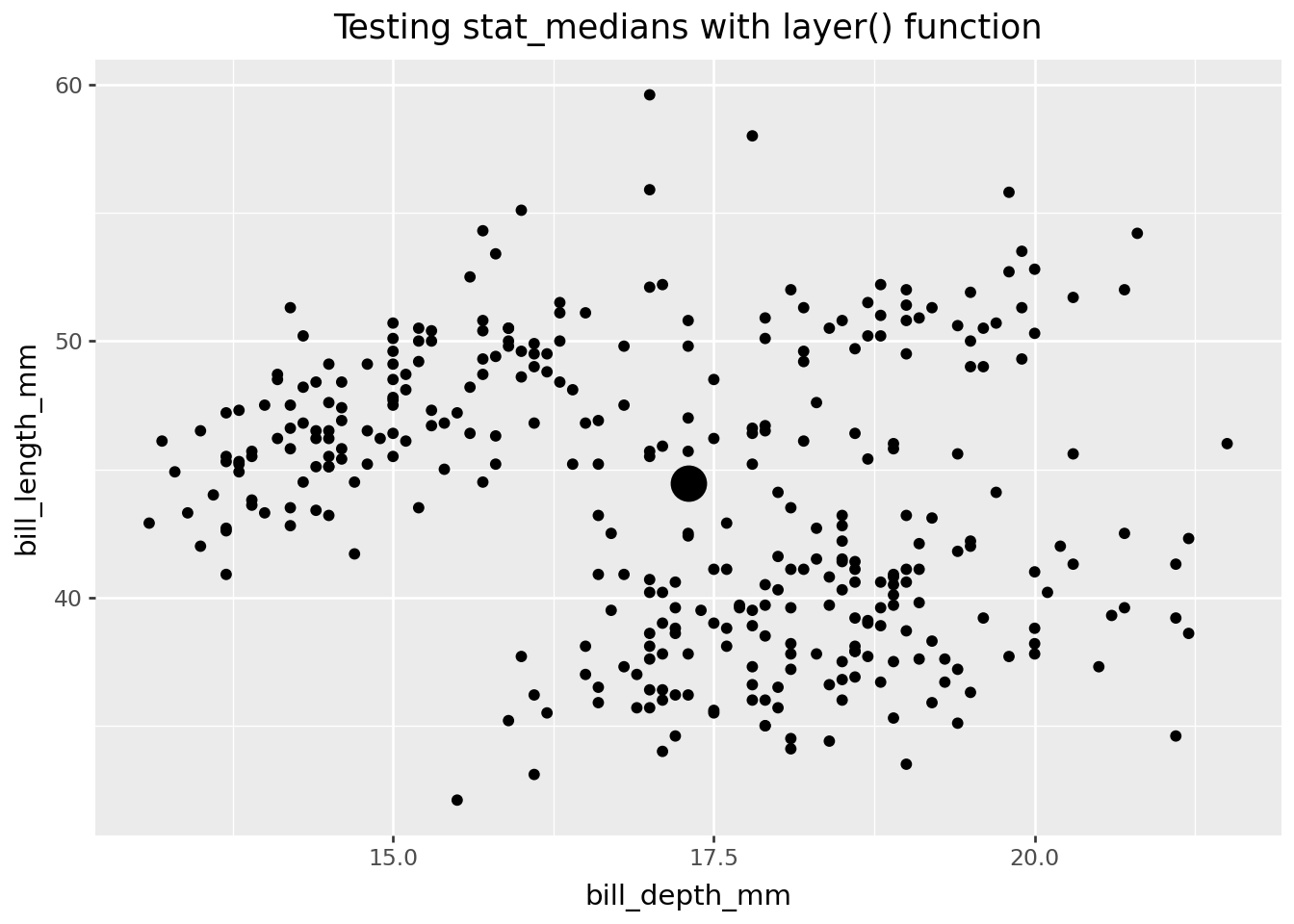
TipPro tip: Think about an early exit (don’t define a user-facing function) …
You might be thinking, what we’ve done would already be pretty useful to me. Can I just use my stat as-is within geom_*() functions?
The short answer is ‘yes’! If you just want to use the stat yourself locally in a script, there might not be much reason to go on to Step 3, user-facing functions. But if you have a wider audience in mind, i.e. internal to organization or open sourcing in a package, probably a more succinct expression of what functionality you deliver will be useful - i.e. write the user-facing functions.
TipPro tip: consider using
layer() function to test instead of geom_*(stat = stat_new)
Instead of using a geom_*() function, you might prefer to use the layer() function in your testing step. Occasionally, you must to go this route; for example, geom_vline() contain no stat argument, but you can use the geom_vline in layer(). If you are teaching this content, using layer() may help you better connect this step with the next, defining the user-facing functions.
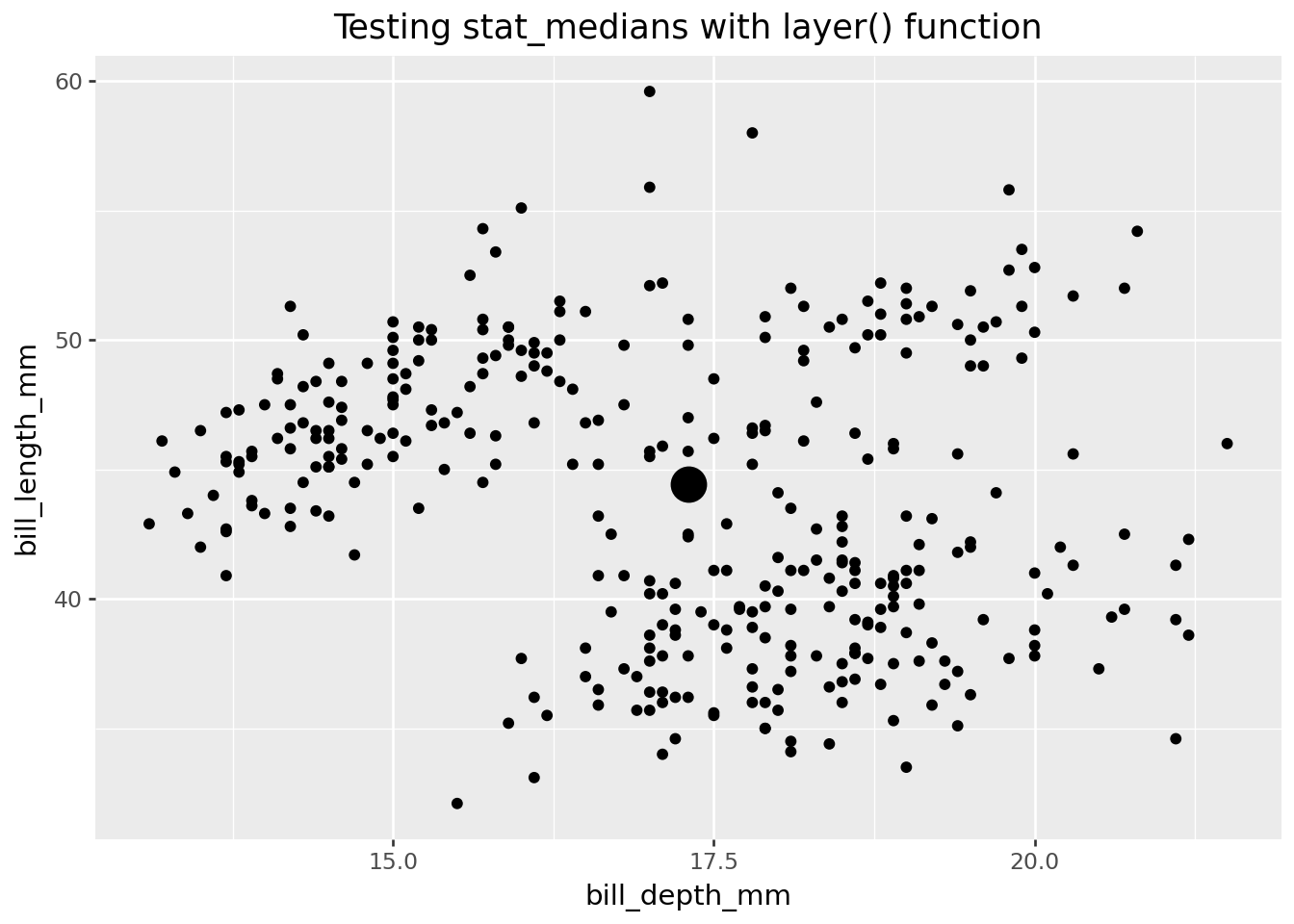
A test of stat_medians using this method follows. You can see it is a little more verbose, as there is no default for the position argument, and setting the size must be handled with a little more care.
(
    ggplot(penguins)
    + aes(x="bill_depth_mm", y="bill_length_mm")
    + geom_point()
    + layer(
        geom=geom_point,
        stat=stat_medians,
        position="identity",
        size=7,
    )
    + labs(title = "Testing stat_medians with layer() function")
)
Step 3: Define user-facing functions. Test.
Define geom_*() class
‘Most users are accustomed to adding geoms, not stats, when building up a plot.’ ggplot2: Elegant Graphics for Data Analysis.
Because plotnine users may be more accustomed to using layers that have the geom_ prefix, you might also define a geom_ class with almost the same properties as the stat_. Here we simply subclass geom_point and point its default stat at our new stat. Following plotnine conventions, this geom_-prefixed class fixes the geom while leaving the stat flexible.
class geom_medians(geom_point):
    DEFAULT_PARAMS = {"stat": "medians"}
Test/Enjoy your geom_medians() function!
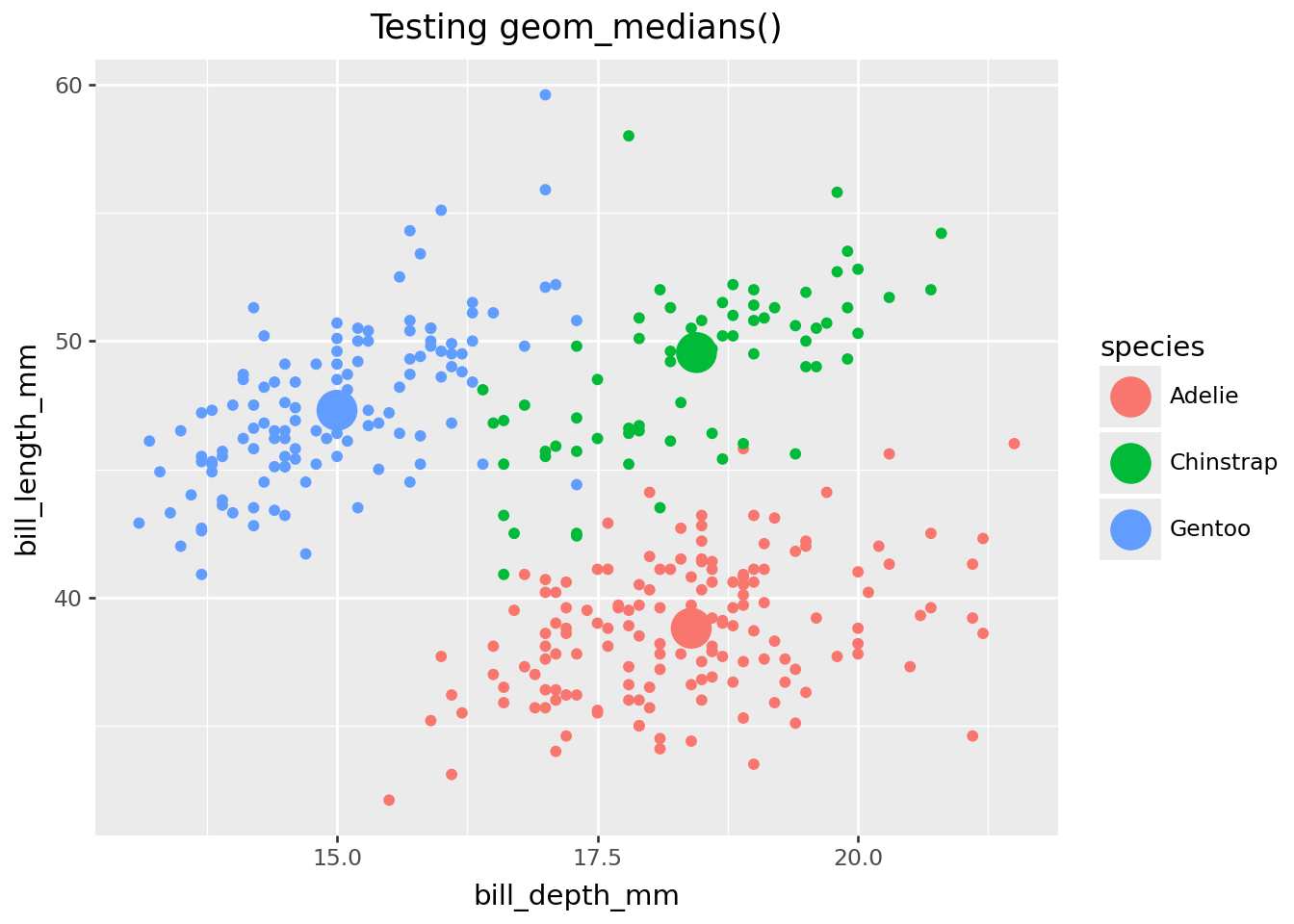
Test geom_medians()
## Test user-facing

(
    ggplot(penguins)
    + aes(x="bill_depth_mm", y="bill_length_mm")
    + geom_point()
    + geom_medians(size=8)
    + labs(title="Testing geom_medians()")
)
Test group-wise behavior
last_plot() + aes(color="species")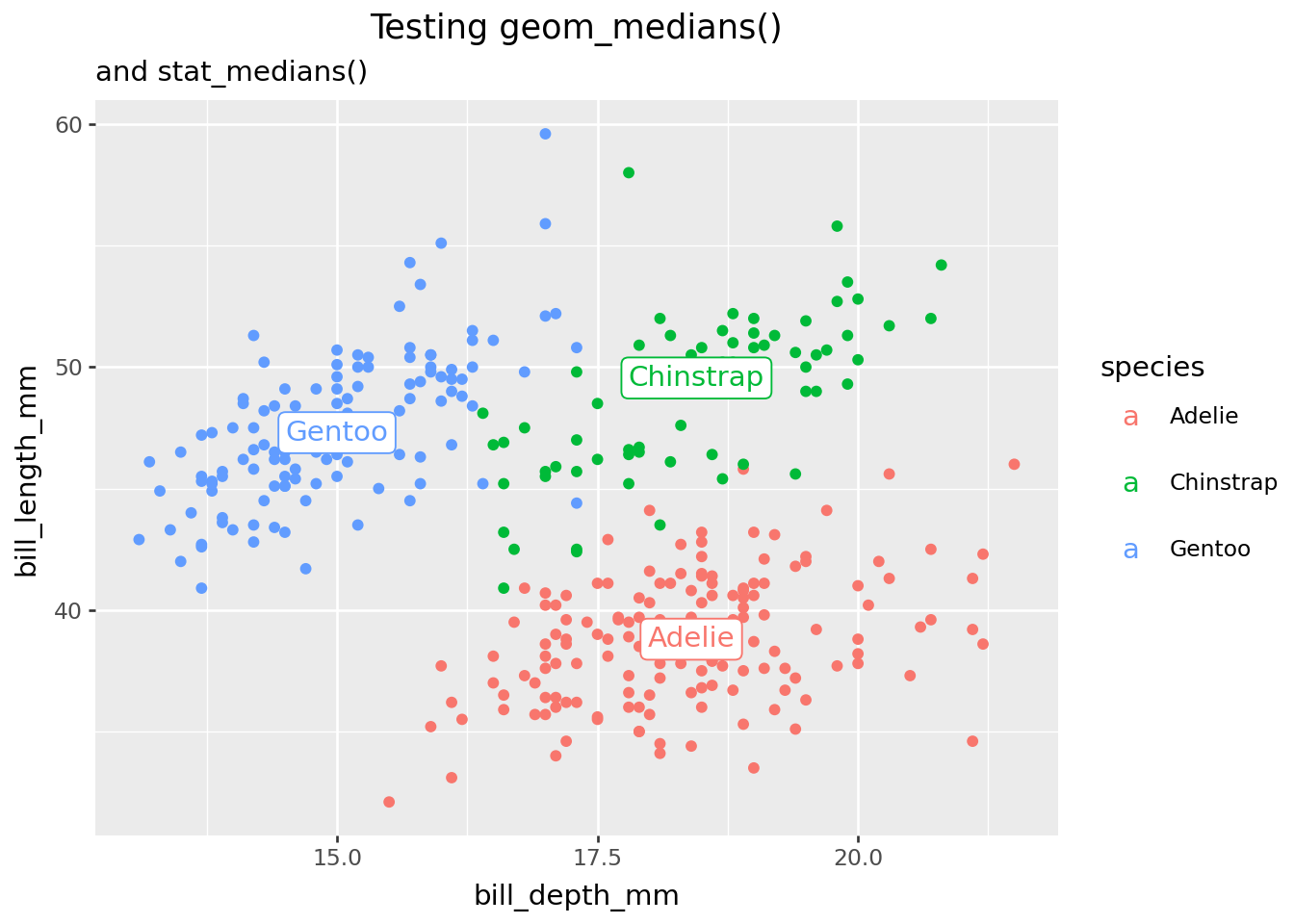
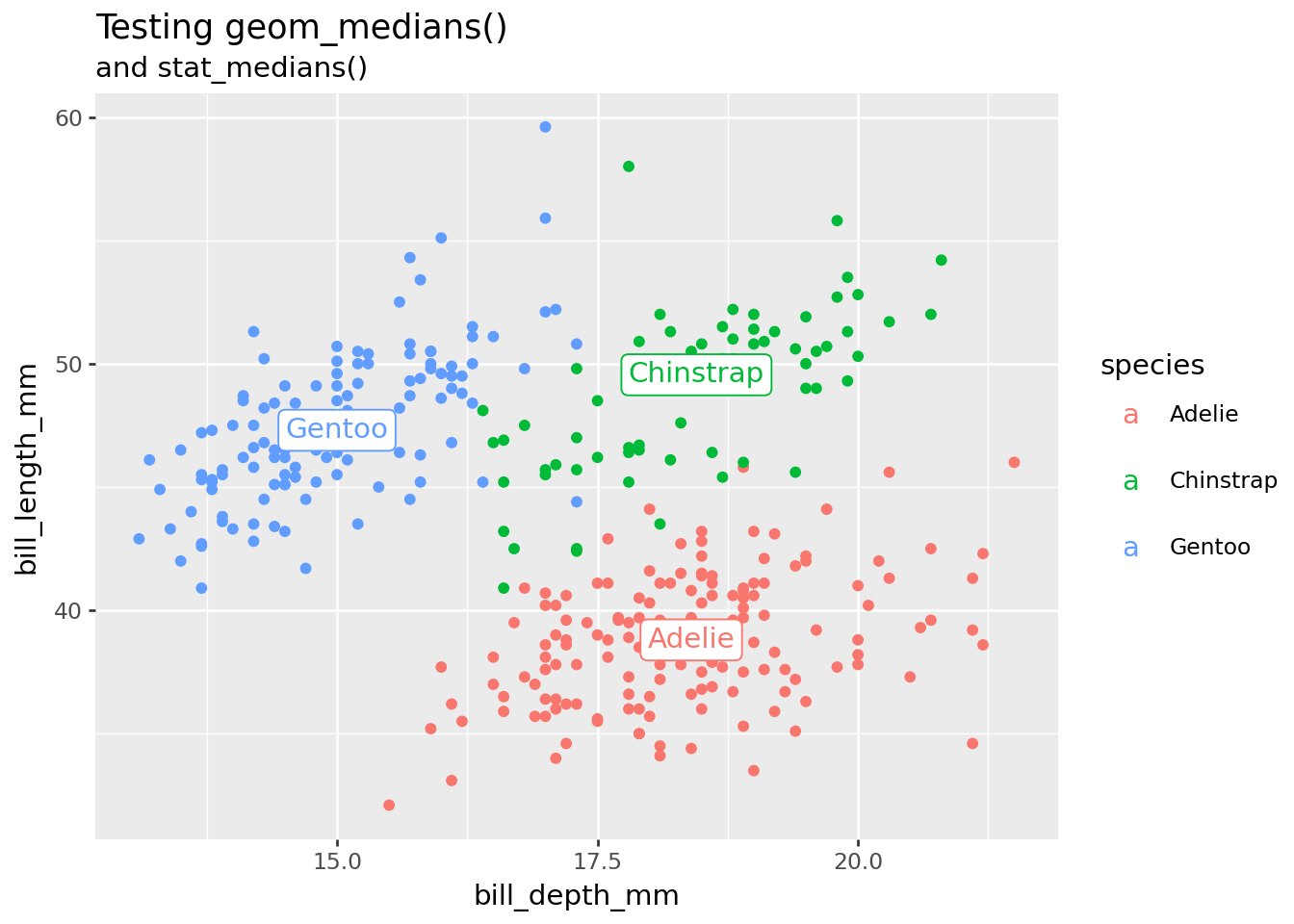
Test stat_*() function with another geom.
(
    last_plot()
    + stat_medians(geom="label", mapping=aes(label="species"))
    + labs(subtitle="and stat_medians()")
)
Done! Time for a review.
Here is a quick review of the functions and classes we’ve covered, dropping tests and discussion.
NoteReview
# Step 1. Define compute
def compute_group_medians(data, scales=None):
    return pd.DataFrame([data[["x", "y"]].median()])

# Step 2. Define stat
class stat_medians(stat):
    REQUIRED_AES = {"x", "y"}
    DEFAULT_PARAMS = {"geom": "point"}

    def compute_group(self, data, scales):
        return compute_group_medians(data)

# Step 3. Define geom
class geom_medians(geom_point):
    DEFAULT_PARAMS = {"stat": "medians"}
Your Turn: write geom_means()
Using the geom_medians Recipe #1 as a reference, try to create a geom_means() function that draws a point at the means of x and y. You may also write convenience geom_*() functions.
Step 00: load libraries, data
Step 0: Use base plotnine to get the job done
Step 1: Write compute function. Test.
Step 2: Write stat.
Step 3: Write geom.
Next up: Recipe 2 geom_id()
How would you write the function which annotates coordinates (x,y) for data points on a scatterplot? Go to Recipe 2.